Cars
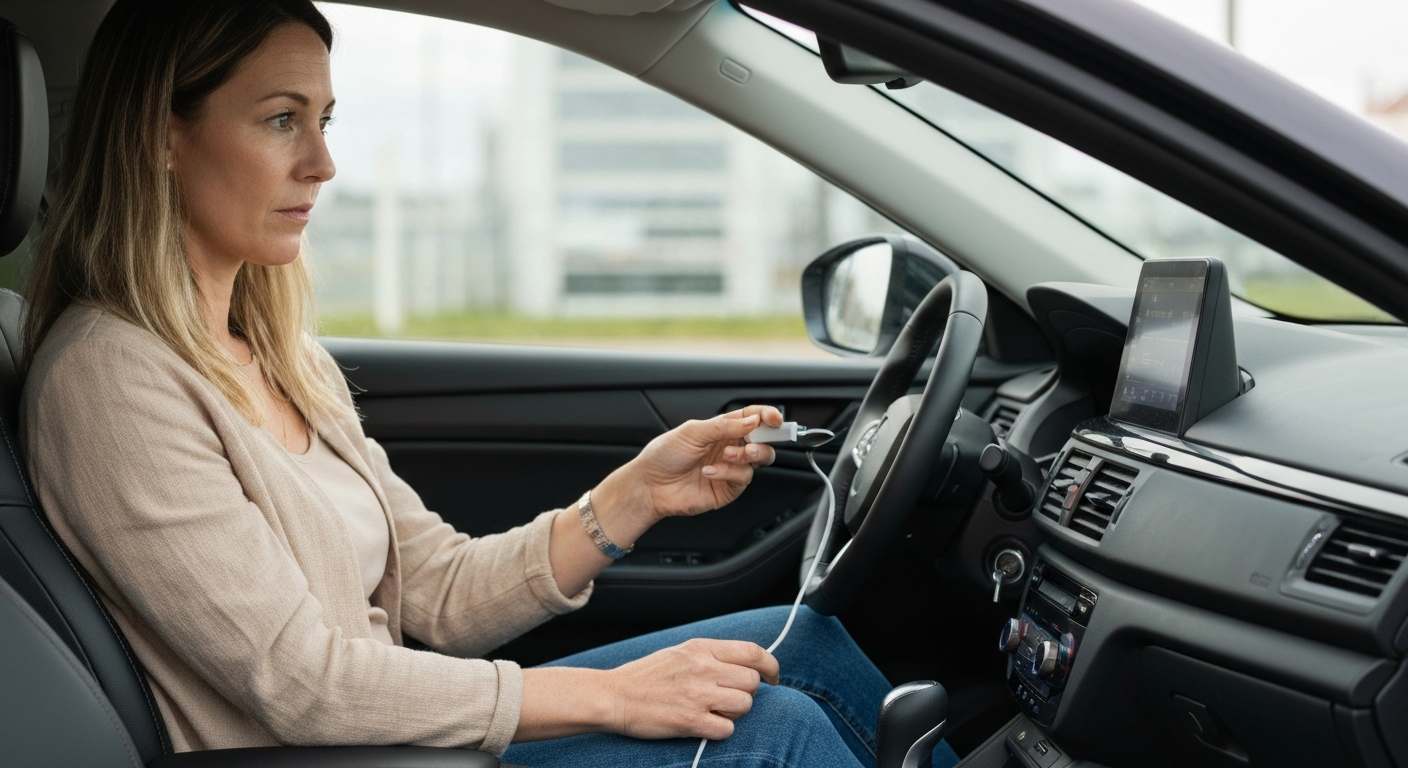

Wired CarPlay fails for a short list of reasons, and the cable tops it. A worn or non-certified cable, a charge-only port, a disabled Siri, or a stale pairing covers almost every case. Start with a certified cable in the data port, then check settings.
Wired CarPlay is the simpler of the two connection types, which is good news when it breaks. It has fewer moving parts than wireless, so the fault is usually easy to isolate. The cable and the port do the heavy lifting, and when CarPlay will not start over a cable, one of them is almost always the reason. The steps below go from the most common cause to the least.
The cable is the number one cause of wired CarPlay failure. Cables wear out from the inside, losing their data wires while still charging the phone.
A cable that looks perfect can still be dead for data. The outer jacket survives long after the thin internal data wires fray from daily bending and yanking.
"Bad USB cables account for nearly half of all wired CarPlay problems we help fix." — Car Tech Studio
Quality matters as much as condition. A cheap, uncertified cable may never have carried data properly.
"If Android Auto had worked properly before and no longer works now, replace your USB cable." — Android Auto Help, Google's official support documentation
The same advice applies to CarPlay. Swap in an Apple-certified or MFi-certified cable as your first move.
Even a perfect cable fails in a charge-only port. Many cars include just one data port, and plugging into any other only charges the phone.
A charge-only port supplies power but passes no data, so CarPlay never starts while the phone charges happily. The data port is usually marked with a small smartphone or CarPlay icon.
"Make sure you're using the correct port and that your cable works." — Leanne Hays at iPhone Life
Test each port with a cable you know carries data, and use the one that starts CarPlay. If only one port works and it is failing, the next sections cover your longer-term options.
| ✓Our Pick | ||
Browse plug-in wireless CarPlay adapters that replace the cable No special skills required — straightforward to use and most orders ship quickly.
|
A working cable and port still need the right phone settings. A disabled Siri or a CarPlay restriction will stop wired CarPlay just as surely as a dead cable.
CarPlay treats Siri as a required component, so confirm it is on under Settings, Siri & Search. Then check Settings, Screen Time, Content & Privacy Restrictions, Allowed Apps, and make sure CarPlay is permitted. Both settings produce the same dead-on-plug-in symptom, and both take seconds to rule out.
If the cable, the port, and these settings all check out, a stale pairing is the next suspect, which a quick reset clears.
Also Read: The Quick Fix Most Drivers Try First
A stale connection profile can block wired CarPlay even with good hardware. Forgetting the car and restarting both devices rebuilds a clean profile.
Open Settings, tap General, tap CarPlay, select the car, and remove it. Restart the iPhone and the car, then plug in again. Also check Settings, General, Software Update and install any pending iOS version, since an outdated phone can lose compatibility with current car firmware. A current iPhone connects more reliably over a cable than one several versions behind.
Also Read: Why Is My USB Not Working in My Car? Causes & Fixes
If your wired port or cable keeps failing, going wireless is often the most durable fix. A plug-in adapter removes the two parts that wear out — the cable and the data port.
Wired connections fail at predictable points: the cable frays, and the port loosens from years of plugging and unplugging. Both are hard to fix without dash work. A wireless adapter plugs into the CarPlay port once and then connects to the phone wirelessly each time you drive, so there is no cable to replace and no port to wiggle. For a driver who has already burned through two or three cables, the adapter usually costs less over time and removes the daily hassle entirely.
The right cable for wired CarPlay is short, certified, and rated for data, not just charging. Getting the cable right prevents most repeat failures.
Three things make a cable reliable for CarPlay. First, genuine certification — Apple MFi for Lightning, or a reputable USB-C cable for newer iPhones — which guarantees the data wires meet spec. Second, a short length, because long cables drop the data signal and pick up noise more easily. Third, a data rating; some cables are sold for charging only and contain no data wires at all.
Avoid the cheapest no-name cables, which often fake certification and fail the data handshake even when new. It is also worth keeping a known-good spare in the car, so you can test instantly the next time CarPlay refuses to start.
If you find yourself replacing cables every few months, the port is probably the real culprit. A worn port stresses and kills cables faster than normal, and at that point a wireless adapter ends the cycle by removing the cable from the equation altogether.
| Symptom | Likely cause | First fix |
|---|---|---|
| Charges, no CarPlay | Dead-data cable or charge-only port | Certified cable in the data port |
| Nothing on plug-in | Siri off or CarPlay restricted | Enable Siri, allow CarPlay |
| Worked, now fails | Stale pairing or old iOS | Forget the car, update, restart |
| Drops while driving | Loose port or worn cable | Replace cable or go wireless |
| Cables keep dying | Failing port wears cables out | Use a wireless adapter |
Charging uses the power wires and CarPlay uses the data wires, which fail separately. A charge-only port or a worn cable charges the phone while passing no data. Use a certified data cable in the data USB port to restore CarPlay.
If a certified cable in a known data port starts CarPlay and your usual cable does not, your cable is bad. Cables lose data function while still charging, so test against a known-good one rather than trusting appearance.
Mid-drive drops usually mean a worn cable or a loose port losing contact under vibration. Replace the cable with a certified one, or switch to a wireless adapter to remove the cable and port from the connection entirely.
Neither is strictly better, but wireless avoids the cable and port that cause most wired failures. If your wired setup keeps breaking, a wireless adapter is usually the more reliable long-term choice. Wired still charges the phone while connected, which wireless does not.
Reviewed and Updated on June 27, 2026 by Adelinda Manna