Sleep
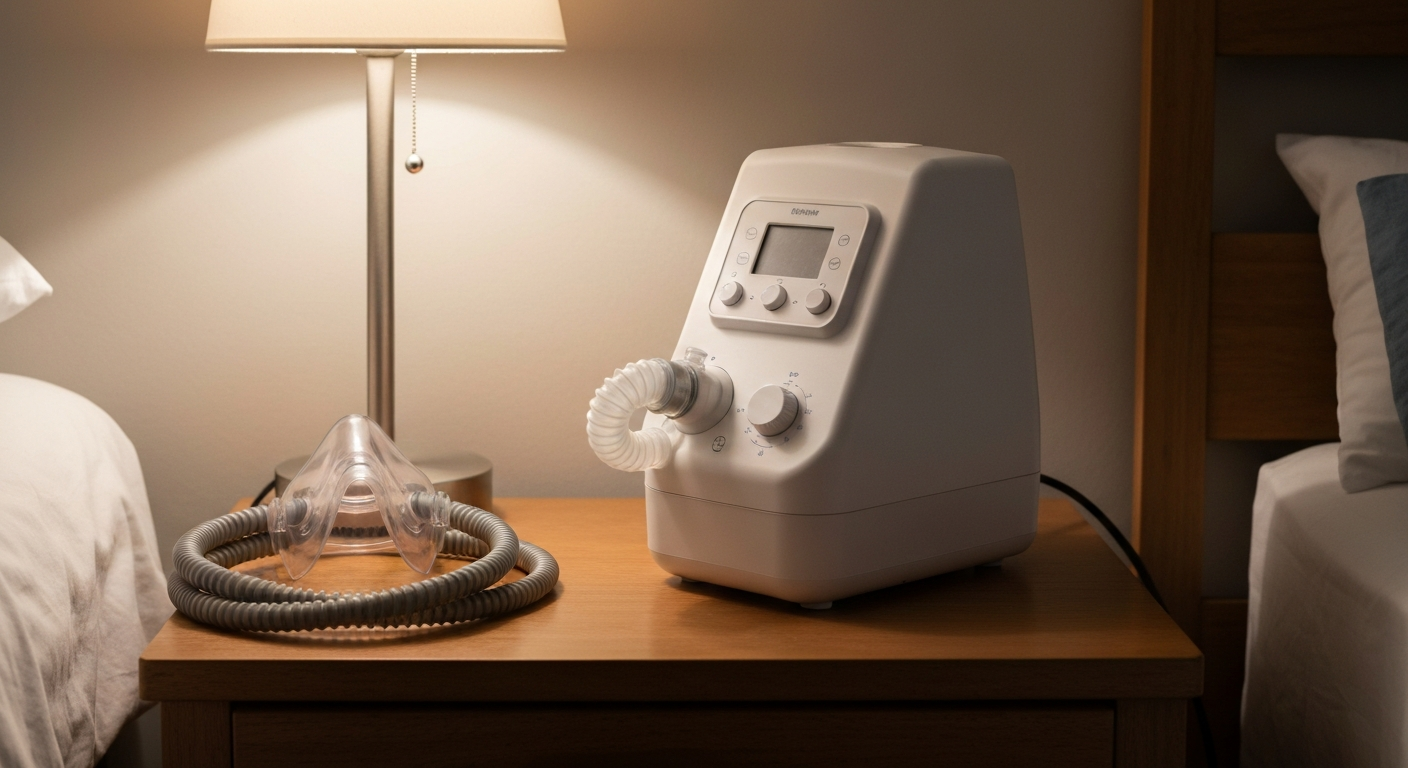

A ResMed CPAP machine that is not turning on is almost always caused by a power supply problem — a failed power adapter, a bad outlet, or a faulty power cable. The second most common cause is the power button needing a firm hold (3 seconds on most ResMed models). Hardware failure is less common but does occur in machines more than five years old.
ResMed CPAP machines — including AirSense 10, AirSense 11, and AirMini — fail to turn on due to power delivery issues, power button faults, or internal hardware failures. Start with the power supply before assuming the machine itself is broken.
The most common cause of a ResMed CPAP not turning on is a failed or partially failed power adapter. ResMed uses external brick-style power supplies that can fail silently — the brick itself stops converting power without any visible sign.
To diagnose:
1. Check that the power cable is fully plugged into both the adapter and the machine. Wiggle the connection gently — a loose fit causes intermittent power
2. Try a different wall outlet (avoid power strips and UPS units for initial testing)
3. Check the power adapter for signs of damage: bent pins, burn marks, or a damaged cable
4. If possible, test with a known-good ResMed-compatible power adapter of the same voltage (most AirSense models use 24V DC)
"Voltage and amperage must match exactly when substituting power supplies for CPAP machines. Using an incorrect adapter can damage the unit beyond repair." — ResMed at resmed.com
ResMed power adapters are model-specific. The AirSense 10 uses a 90W adapter; the AirSense 11 uses a different specification. Replacement adapters are available from ResMed directly or through CPAP supply vendors.
On most ResMed models, the power button requires a firm 3-second hold to power on — not a quick tap. The AirSense 10 and AirSense 11 both use this delay as a safety measure to prevent accidental activation. If you are pressing and immediately releasing, the machine may not respond.
On the AirMini (travel CPAP), press and hold the power button for approximately 3 seconds. The screen will illuminate when power-on registers.
If the power button feels physically stuck or requires unusual force, the button mechanism itself may be worn or water-damaged.
Water intrusion from the humidifier water chamber is a real risk. If the chamber is overfilled, or if the machine was transported while the chamber contained water, moisture can enter the main unit and damage the power board.
Signs of water damage: water visible in the tubing beyond the machine inlet, a musty smell from the machine, or intermittent power-on that gets worse over time.
If you suspect water damage, remove the water chamber completely, allow the machine to dry in a warm area for 24–48 hours, and attempt power-on again. Do not use a hair dryer directly on the unit — heat can damage components.
Some ResMed machines enter an error state or locked mode after repeated failed startups or a firmware update issue. The AirSense 11 in particular displays error codes that can prevent normal power-on.
To force a reset:
1. Disconnect all power (adapter and any battery backup)
2. Wait at least 60 seconds
3. Reconnect power and attempt startup
If the machine displays an error code (E-1, E-5, etc.) on the small LED or screen when partially powering on, note the code and contact ResMed support at 1-800-424-0737 — each code maps to a specific hardware fault.
ResMed machines are designed for 5–7 years of typical use. Older machines may have failing capacitors on the power board, which causes no-power symptoms even when the adapter is working.
If your machine is over five years old and shows no signs of power supply fault, the internal power board may need professional servicing. ResMed-authorized service centers can diagnose and repair motherboard-level issues.
| Symptom | Likely Cause | First Action |
|---|---|---|
| No lights, no sound, nothing | Power adapter failure | Test with different outlet, check adapter |
| Clicks once then goes dark | Bad power connection or circuit board | Reseat adapter, try different outlet |
| Error code on screen | Error state or hardware fault | Note code, call ResMed 1-800-424-0737 |
| Powers on intermittently | Loose power cable or water damage | Check cable seating, inspect for moisture |
| Machine warm but no startup | Internal board failure | Contact ResMed or authorized repair |
| ✓Our Pick |
Replacement CPAP power adapters and accessories on Amazon One of the highest-rated products in its category — a reliable fix used by thousands of people. See on Amazon → |
Contact ResMed directly at 1-800-424-0737 or through myAir if:
ResMed warranties cover manufacturing defects but typically not physical damage from water or drops. Document your purchase date and serial number (on the label underneath the machine) before calling.
Also Read: Does Snoring Cause Headaches? What the Research Says
A ResMed CPAP not turning on is most often a power adapter failure, a loose power connection, or incorrect button technique (requiring a 3-second hold). Check the adapter and outlet first, confirm the button is being held long enough, inspect for moisture if the humidifier was in use, and force a power reset by disconnecting for 60 seconds. If error codes appear, note them and contact ResMed support — most models are covered under a 5-year warranty.
Most ResMed machines — including AirSense 10, AirSense 11, and AirMini — require a firm 3-second hold on the power button to turn on. A brief tap will not register. If the machine still does not respond after a 3-second hold, the issue is with power supply rather than button technique.
Only if it matches the exact voltage and amperage requirements for your specific model. Using an incorrect adapter can cause damage. Check the label on your original adapter for voltage (V) and amperage (A) specifications, and only use a replacement that matches both values exactly. ResMed-branded replacement adapters are the safest option.
Immediate shutdown after power-on is typically caused by a brownout condition (the adapter is not delivering enough current), an internal thermal protection trigger, or a hardware fault. Try a different outlet with no power strip, verify the adapter is correct for your model, and allow the machine to cool down for 30 minutes before retrying.
Generally no. ResMed warranty covers manufacturing defects but not damage caused by overfilling the humidifier water chamber or transporting the machine with water inside. If moisture entered the machine, contact ResMed or a CPAP service center — some damage is repairable for a service fee even outside warranty.
Reviewed and Updated on June 15, 2026 by George Wright