Gadgets
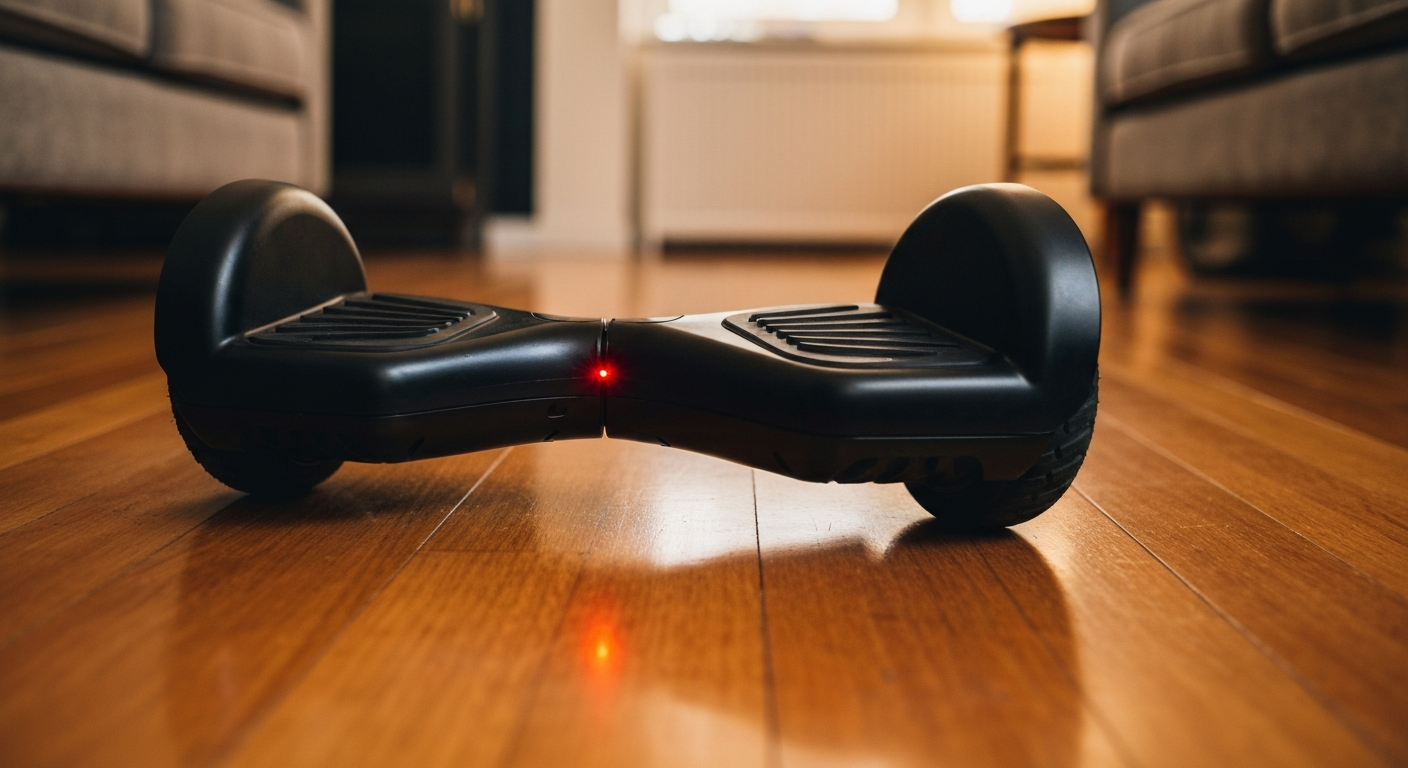

Your hoverboard beeps to alert you to a specific problem — the most common causes are a low or unbalanced battery, overheating, foot-sensor imbalance, or a calibration error. Most beeping stops once you identify the blink pattern and fix the underlying issue.
Hoverboards use beep sequences and LED colors to communicate specific faults. Before troubleshooting, note whether the board beeps continuously, in short bursts, or only when you step on it — each pattern points to a different cause.
Modern self-balancing scooters communicate through a combination of beep tones and indicator light colors. The on-board control board monitors battery voltage, motor temperature, gyroscope tilt, and weight sensors in real time. When any parameter falls outside safe operating limits, the board triggers an audible alarm and a color-coded LED warning. Understanding this alarm system turns a frustrating beep into a clear diagnostic tool.
The United States Consumer Product Safety Commission (CPSC) tracks hoverboard incidents and maintains safety guidance for self-balancing scooters. Boards that carry UL 2272 certification include onboard safety alarms as a required feature specifically designed to warn riders before a dangerous failure occurs.
"Self-balancing scooters must be tested and certified to UL 2272 to ensure they meet electrical system, battery, charger, and motor safety requirements. These products present fire and electrical shock hazards when they do not meet this standard." — U.S. Consumer Product Safety Commission at CPSC.gov
The seven causes below cover the vast majority of hoverboard beeping cases. Work through them in order — the first three are responsible for most complaints.
A low battery is the single most common cause of hoverboard beeping. When charge drops below roughly 10–15%, the board sounds a continuous or rhythmic beep and the LED indicator turns red. The fix is straightforward: plug in the charger and wait until the light turns green (typically 2–3 hours on a standard charger).
A related issue is battery imbalance, where one cell pack charges at a different rate than the other. Even if the overall charge reads adequate, an imbalanced pack can trigger a low-voltage alarm. If the board beeps shortly after a full charge, battery reconditioning or replacement may be needed.
Hoverboards rely on two independent infrared foot sensors — one under each deck plate. If you step on one side before the other, or if only one pad is properly depressed, the board beeps and refuses to move. The fix: step off completely, set the board on flat ground, wait for the LED to turn solid (usually 5–10 seconds), then re-mount by pressing both feet down simultaneously and evenly.
Also Read: Why Is My Vape Blinking? 12 Causes & Quick Fixes
Extended riding, ambient heat, or a charging session in direct sunlight can push the motor or battery temperature above safe limits. When this happens, the board typically sounds a series of rapid beeps and may stop responding to input. Power the board off and let it cool in a shaded area for 20–30 minutes. Never charge a hoverboard in a hot car or in direct sun.
Most hoverboards include a slope sensor that sounds an alarm when the deck angle exceeds the board's rated incline (typically 15–20 degrees). This alarm also activates if the board is picked up while powered on and held at an unnatural angle. If this beep is frequent during normal use, the gyroscope may need recalibration.
Every hoverboard has a maximum weight capacity — most standard boards are rated for 220–265 lbs, while heavy-duty models support up to 330 lbs. Exceeding this limit triggers a weight-protection beep. Check the manufacturer's specifications, usually stamped on the underside of the board.
Gyroscope drift causes the board to read a false tilt even when it is perfectly level. This leads to a persistent beep and difficulty balancing. Recalibration typically involves placing the board on a flat surface, holding the power button for 10 seconds until the LEDs flash, then releasing and waiting for the lights to stabilize. The exact sequence varies by brand — consult your manual.
If none of the above apply and the board continues to beep after a full charge and recalibration, the issue may be an internal wiring fault, a damaged motor, or a failing control board. A persistent 8-beep or 12-beep pattern on many brands specifically signals motor or motherboard failure. At this point, professional repair or warranty service is the appropriate next step.
Also Read: Why Is My Left AirPod So Quiet? 7 Causes & Easy Fixes
| Beep Pattern | Likely Cause | Fix |
|---|---|---|
| Continuous single beep | Low battery | Charge fully |
| Short rapid bursts | Overheating | Power off, cool down |
| 3 beeps on mount | Foot sensor imbalance | Remount both feet evenly |
| Beeps when tilted | Incline protection | Ride on flatter surface |
| Beeps at startup | Calibration error | Recalibrate on flat ground |
| 8+ consecutive beeps | Motor or motherboard fault | Service or warranty claim |
"Gyroscope calibration errors are one of the leading causes of unexplained beeping and balance issues in self-balancing scooters. Performing calibration on an uneven surface teaches the board to treat a tilted position as level, worsening the problem rather than fixing it." — Segway-Ninebot Technical Support at Segway.com
Hoverboard beeping is the board's way of communicating a specific fault. A low battery is the most likely culprit — charge fully and see if the alarm clears. If the board beeps at startup or refuses to balance, recalibrate the gyroscope on a flat surface. Beeping that persists after charging and recalibration usually points to a hardware fault requiring professional service or a warranty claim.
The board's foot sensors detect uneven or partial contact when you step on one side before the other, or when the sensors are dirty. Dismount completely, let the LED stabilize to a solid color, then remount by pressing both feet down simultaneously. Cleaning the sensor areas with a dry cloth can remove debris causing false readings.
A hoverboard that beeps but stays stationary is almost always in a safety-lockout state caused by low battery, overheating, or weight-limit detection. Charge the battery fully, allow the board to cool if recently used, and confirm you are within the weight limit. If it still does not move, recalibrate the gyroscope on a flat surface.
A beep during charging typically means the charger or battery has detected a fault — the battery may be too depleted to accept a charge normally, the charging port connection may be loose, or a battery cell may have failed. Try a different outlet and ensure the cable is fully seated. If beeping continues after 30 minutes, the battery likely needs replacement.
The standard gyroscope recalibration: place the board flat and level, press and hold the power button for 10 seconds until the lights flash, then release. For a full factory reset on most brands, power off, hold the power button for 15 seconds, then allow the board to restart. Consult your model's manual as sequences vary by manufacturer.
No — beeping is an active safety warning. Riding a beeping hoverboard risks sudden motor cutoff, loss of balance, and potential battery or electrical failure. Always diagnose and resolve the alarm before riding again.
Reviewed and Updated on June 5, 2026 by George Wright