Cars

CarPlay fails to connect when the handshake between your iPhone and the car breaks down — usually a dead data cable, a charge-only port, or, on wireless setups, Bluetooth and Wi-Fi not being switched on together. Work through the connection layer first, because that is where almost every "won't connect" case lives.
A connection problem is different from CarPlay crashing or freezing. Here the system never establishes the link at all. The car may not detect the phone, or it shows a "connecting" message that never finishes. The cause depends on whether you plug in or connect wirelessly, and the steps below cover both. They apply equally to "Apple CarPlay" and the "car play" spelling.
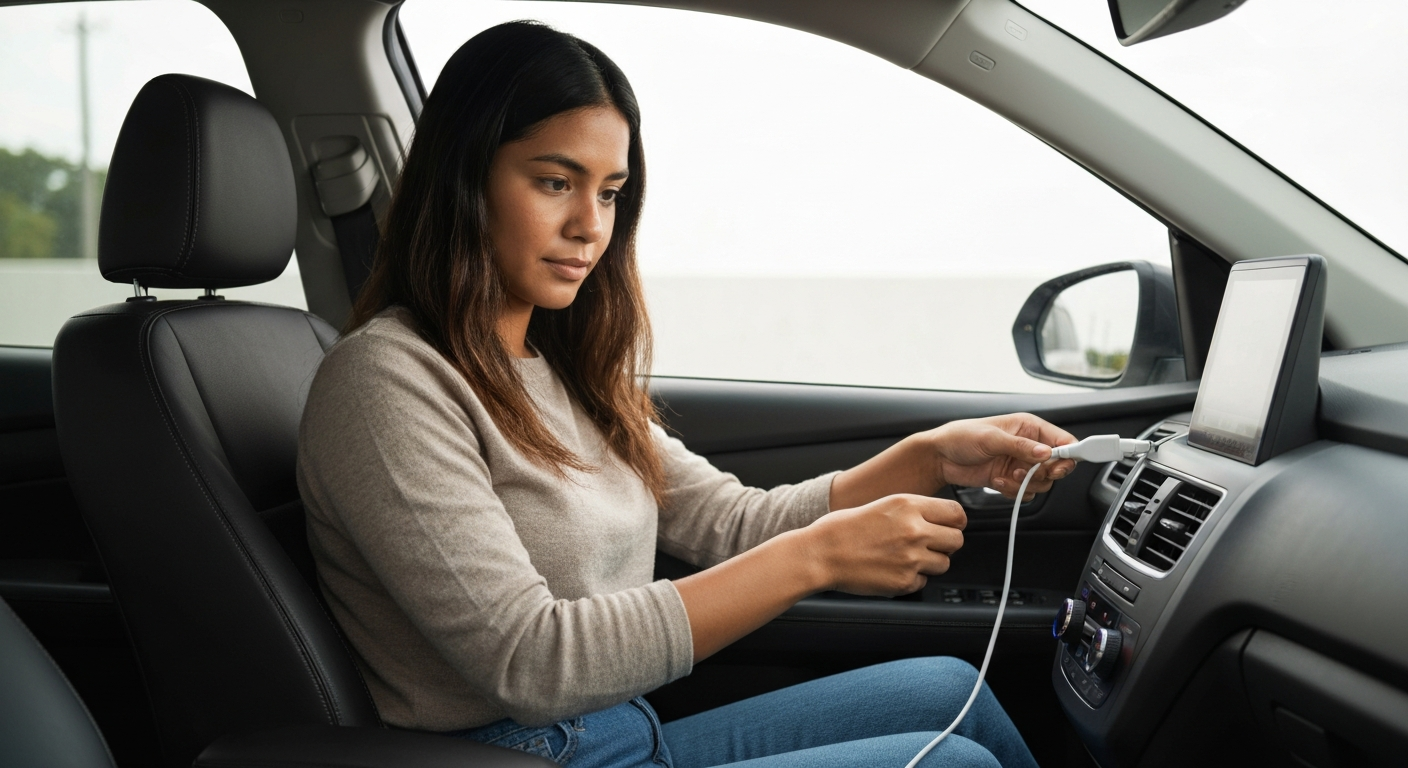
A wired connection that won't complete is almost always the cable or the port. The cable must carry data, not just power, and the port must be a data port.
Cables wear out from the inside. The outer jacket looks fine while the data wires fray, so the phone keeps charging but the connection never forms. A non-certified cable can fail the same way from day one.
"Check your USB cable and port combination first. Use only Apple-certified cables or high-quality MFi-certified alternatives." — Car Tech Studio
Try a different certified cable, then move it to another USB port. Many cars include one data port and several charge-only ports, and only the data port runs CarPlay.
Also Read: The Quick Fix Most Drivers Reach for First
Wireless CarPlay needs Bluetooth and Wi-Fi both turned on. It pairs over Bluetooth and then moves data over Wi-Fi, so a single disabled radio stops the connection cold.
This trips up a lot of drivers, because they assume wireless CarPlay only uses Bluetooth. It does not. The Bluetooth link only authenticates the phone; the heavy lifting runs over a direct Wi-Fi connection between the phone and the car.
"Open the Settings app, tap Wi-Fi, and make sure Wi-Fi is toggled on." — Leanne Hays at iPhone Life
Confirm both radios are on, then make the car forget the phone and pair again from scratch. A stale pairing profile is one of the most common reasons a previously working wireless connection stops.
Also Read: Why Is My USB Not Working in My Car? Causes & Fixes
When a working connection suddenly fails, the cause is usually a software change or a corrupted pairing — not new hardware. Forgetting the car and re-pairing fixes most of these cases.
iOS updates can reset connection settings or leave a stale profile behind. Start by deleting the saved connection. Open Settings, tap General, tap CarPlay, choose your car, and remove it.
"Tap your car, then tap Forget This Car." — Leanne Hays at iPhone Life
After that, restart both devices and pair again. If you use a VPN, switch it off before reconnecting, since a VPN tunnel can interrupt the local pairing on newer iOS versions. It is also worth checking that CarPlay is not blocked under Screen Time content and privacy restrictions.
Also Read: Why Is My Phone in Recovery Mode? Causes & Fixes
Beyond cables and radios, three settings quietly stop CarPlay from connecting: a disabled Siri, an active restriction, and a pending software update. Each is a two-minute check.
CarPlay treats Siri as a required component. If Siri is switched off, the car may detect the phone but refuse to launch the interface. Open Settings, tap Siri & Search, and confirm it is enabled.
"CarPlay needs both 'Listen for Hey Siri' and 'Allow Siri When Locked' to be enabled." — Car Tech Studio
The second blocker is Screen Time. Under Settings, Screen Time, Content & Privacy Restrictions, CarPlay can be toggled off entirely — sometimes by accident, sometimes after a device is set up for someone else. Make sure CarPlay is allowed there.
The third is software. An iPhone running an old version of iOS can lose connection compatibility after a car's own firmware updates. Check Settings, General, Software Update and install anything pending. A current iPhone connects far more reliably than one several versions behind.
If you have a passenger, test their phone in the same car. If theirs connects and yours does not, the fault is on your iPhone — its cable, its settings, or its software. If neither phone connects, the car's port or head unit is the likely culprit, and a wireless adapter or a port repair becomes the next step.
| Step | Fixes | Time |
|---|---|---|
| Swap to a certified data cable | Dead or fake cable | 1 min |
| Change to the data USB port | Charge-only port | 1 min |
| Turn on Bluetooth and Wi-Fi | Wireless link failure | 1 min |
| Forget This Car, then re-pair | Stale profile after update | 3 min |
| Restart phone and car | Frozen connection state | 3 min |
| Turn off VPN before pairing | Blocked wireless handshake | 1 min |
If your wired port or cable keeps failing, a plug-in wireless adapter removes both from the equation. It connects directly to your iPhone and turns an unreliable wired setup into a stable wireless one.
Drivers who fight a loose dashboard port every day often find an adapter is less hassle than repeated cable swaps. It plugs into the existing CarPlay port once and then connects to the phone wirelessly each time you get in. There is no cable to wear out and no port to wiggle, which removes the two parts that fail most often.
This route only makes sense once you have ruled out the free fixes above. If a certified cable in the data port still will not connect, and a passenger's phone fails the same way, the wired hardware is the weak point — and that is exactly the case an adapter is built to solve.
| ✓Our Pick | ||
Browse plug-in wireless CarPlay adapters that bypass a faulty port Simple to use and genuinely effective — for many people this is all they ever needed.
|
Charging only proves the port supplies power, not data. CarPlay needs a data connection, so a charge-only port or a power-only cable will leave you charging with no CarPlay. Switch to a certified data cable and the data-enabled USB port.
A wireless connection that stops usually means a stale pairing or a disabled radio. Make sure Bluetooth and Wi-Fi are both on, then forget the car under Settings, General, CarPlay and pair again. A recent iOS update is the most common trigger.
No. Forgetting the car only removes the saved CarPlay pairing for that vehicle. Your apps, music, and phone data are untouched. You simply pair the car again, which rebuilds a clean connection profile.
Yes, on newer iOS versions a VPN can interfere with the local pairing handshake. Turn the VPN off before you connect, then turn it back on once CarPlay is running if you still need it.
Reviewed and Updated on June 27, 2026 by Adelinda Manna