Technology
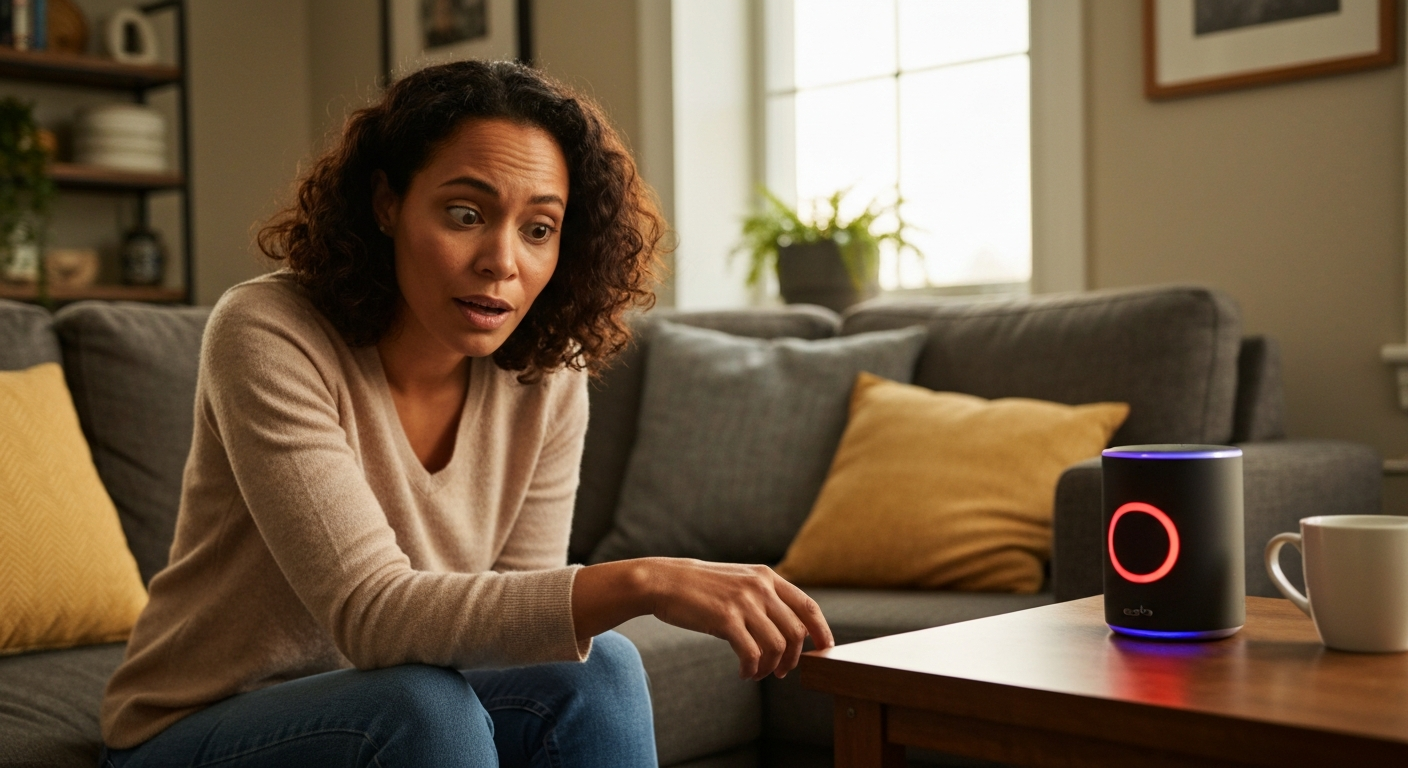

A red light ring on your Alexa or Echo Dot means the microphone is muted—the device cannot hear you and will not respond to voice commands until you press the microphone button to turn it back on.
If you're staring at your Echo wondering why Alexa is giving you the silent treatment with that glowing red ring, don't worry—nothing is broken. The red light is actually a deliberate privacy feature built into every Echo device. Unlike other colored lights that indicate processing or notifications, the solid red ring specifically tells you that Alexa's microphone has been manually disabled. Your Echo Dot, Echo Show, or standard Echo speaker will stay unresponsive until you physically press the microphone button again. Understanding what this red light means—and the rare cases where it signals something else—will help you get your smart speaker back to normal in seconds.
Also Read: Why Is My Firestick So Slow? 8 Causes & Quick Fixes
| ✓Quick Fix |
The Go-To Fix for This Right Now Most people dealing with this exact problem start here — quick, affordable, and easy to try today. See on Amazon → |
The solid red light ring on any Echo device indicates that the microphone is turned off, meaning Alexa cannot listen for wake words or process any voice commands.
Amazon designed this as a clear visual signal for privacy. When you see red, the device's microphones are physically disconnected from the voice processing system. This is different from software-based muting—the red light represents a hardware-level shutoff that even Amazon cannot override remotely.
The red light appears as a complete ring around the top of cylindrical Echo devices or along the bottom edge of Echo Show screens. On the Echo Dot specifically, the entire light ring glows solid red rather than pulsing or spinning. This distinguishes it from other light patterns like the spinning blue (processing a command) or pulsing yellow (you have a notification).
"When the microphone off button is pressed, a red light indicator appears as a visual confirmation that the microphone is disconnected." — Amazon Device Support at Amazon Help
Here's a quick reference for all Echo light colors:
| Light Color | Pattern | Meaning |
|---|---|---|
| Red | Solid ring | Microphone is muted |
| Blue | Spinning | Processing your request |
| Cyan/Light blue | Pointing direction | Alexa is responding |
| Yellow | Pulsing | Notification or message waiting |
| Green | Pulsing | Incoming call |
| Green | Spinning | Active call or Drop In |
| Orange | Spinning | Device is in setup mode |
| Purple | Brief flash | Do Not Disturb is enabled |
| White | Varying brightness | Volume level adjustment |
Your Echo Dot didn't actually turn red by itself—someone pressed the microphone button, or the device registered an accidental press during handling or cleaning.
The microphone button on Echo devices is fairly sensitive. It sits right on top of cylindrical models and can be pressed unintentionally when:
There's no setting, voice command, or software update that can turn on the red mute light remotely. Amazon confirmed this in their device documentation—the microphone button requires physical activation. If your Alexa or Echo Dot suddenly shows red and you live with others, a quick household check usually solves the mystery.
One exception exists for Echo Show devices with cameras. On these models, you can also trigger a red light bar by sliding the camera shutter closed, which simultaneously mutes the microphone on some models. Check if the physical camera cover has been moved to the closed position.
| ✓Our Pick |
Smart speaker troubleshooting accessories on Amazon Great value for money — this product tackles the root cause rather than just masking the symptoms. See on Amazon → |
In rare cases, a red light combined with unresponsiveness after unmuting can indicate a software glitch or connectivity issue rather than simple muting.
If you press the microphone button to unmute and the red light remains, or if the device becomes completely unresponsive, you may be dealing with a frozen system rather than just a muted microphone.
Try these troubleshooting steps in order:
A persistent red light after multiple reboot attempts is extremely rare but could indicate a hardware malfunction. Devices under warranty can be replaced through Amazon support. For older devices, the power adapter failing can cause unusual behavior—try a different compatible adapter before assuming the Echo itself is faulty.
"If your Echo device is unresponsive after unmuting, try unplugging it for 30 seconds. A simple power cycle resolves most temporary software issues." — Amazon Echo Troubleshooting Guide at Amazon Help
Press the microphone button once—the button with the microphone icon or a circle with a line through it—and the red light will turn off immediately, restoring normal function.
The microphone button location varies by device:
| Echo Device | Microphone Button Location |
|---|---|
| Echo Dot (all generations) | Top of device, marked with microphone icon |
| Echo (standard) | Top of device, next to volume buttons |
| Echo Show | Top edge, physical button |
| Echo Studio | Top of device, in the button cluster |
| Echo Pop | Top of device |
After pressing the button, you'll see the red ring disappear and typically a brief blue light indicating the microphone is active again. Test by saying "Alexa" and waiting for the blue response light.
If you want to verify Alexa can hear you, say "Alexa, what time is it?" A correct response confirms full functionality has been restored.
Many users intentionally keep the microphone muted during private conversations, sensitive phone calls, or overnight to prevent accidental activations.
The mute feature exists specifically for privacy-conscious users. Common reasons to use it include:
Amazon does not record or transmit audio when the red mute light is active. The microphone hardware is disconnected, making it physically impossible for sound to be processed. This is why the visual indicator is so prominent—it's meant to give users confidence that their privacy is protected.
Some households develop a habit of muting Echo devices during dinner or family time. Others mute at night and unmute in the morning. There's no wrong approach—the feature is designed to let you control exactly when Alexa listens.
Also Read: Why Is My House So Dusty? 9 Causes & Proven Fixes
The red light specifically means muted microphone, but other light patterns can indicate connectivity issues, pending notifications, or setup problems that require different solutions.
If your Echo is showing colors other than what you expect:
Spinning orange light: Your device is in setup mode or trying to connect to WiFi. Open the Alexa app to complete setup or check your network connection.
No light at all: The device may be unplugged, the power adapter may have failed, or the outlet may have tripped. Try a different outlet.
Stuck on spinning blue: The device is frozen mid-process. Unplug for 30 seconds and restart.
Alternating blue and cyan: This is normal—Alexa is actively listening or responding. No action needed.
Echo devices released in 2025 and 2026 have slightly brighter LED rings for better visibility in daylight. If you recently upgraded and notice the red seems more intense, this is normal behavior, not a malfunction.
The red ring on your Alexa or Echo Dot simply means the microphone is muted—press the microphone button once to restore normal function. This is a privacy feature, not an error. The red light only appears when someone physically presses the mute button, so if it appeared unexpectedly, someone in your household likely bumped or pressed it. If pressing the button doesn't clear the red light, unplug the device for 30 seconds and restart it.
The red light means the microphone is disabled, so your Echo Dot physically cannot hear the "Alexa" wake word or any other voice commands. Press the microphone button on top of the device to unmute it. The red ring will disappear, and you'll be able to use voice commands normally again. If pressing the button doesn't help, unplug the device for 30 seconds and plug it back in.
Your Echo likely was touched without your knowledge—perhaps by another household member, a pet, or during cleaning. The microphone mute is always triggered by a physical button press, never remotely through software or the Alexa app. Check with others in your home, and examine whether the device may have been bumped recently.
No, you cannot mute the microphone using a voice command—this is intentional. Since muting would prevent Alexa from hearing the unmute command, Amazon designed it as a physical button only. However, you can say "Alexa, stop listening" to end a specific interaction, or enable Do Not Disturb mode for notifications by saying "Alexa, turn on Do Not Disturb."
No, Alexa cannot record when the red light is on. The red light indicates a hardware-level microphone disconnect, meaning audio physically cannot reach the processing system. Amazon designed this as a privacy assurance—the prominent red ring visually confirms that no listening or recording is possible until you press the button again.
Echo Show devices use a light bar instead of a ring due to their screen-based design. The red bar appears along the edge when the microphone is muted, serving the same function as the red ring on cylindrical Echo speakers. On some Echo Show models, closing the physical camera shutter also mutes the microphone, triggering the red bar.
Reviewed and Updated on June 20, 2026 by George Wright