Technology

Your flashlight isn't working because of dead or improperly inserted batteries, a corroded battery compartment, a faulty bulb, a dirty or damaged switch, or water damage inside the housing—and for phone flashlights, the most common culprits are software glitches, camera app conflicts, or overheating protection kicking in.
| ✓Our Pick |
Replacement flashlight batteries for all major brands Great value for money — this product tackles the root cause rather than just masking the symptoms. See on Amazon → |
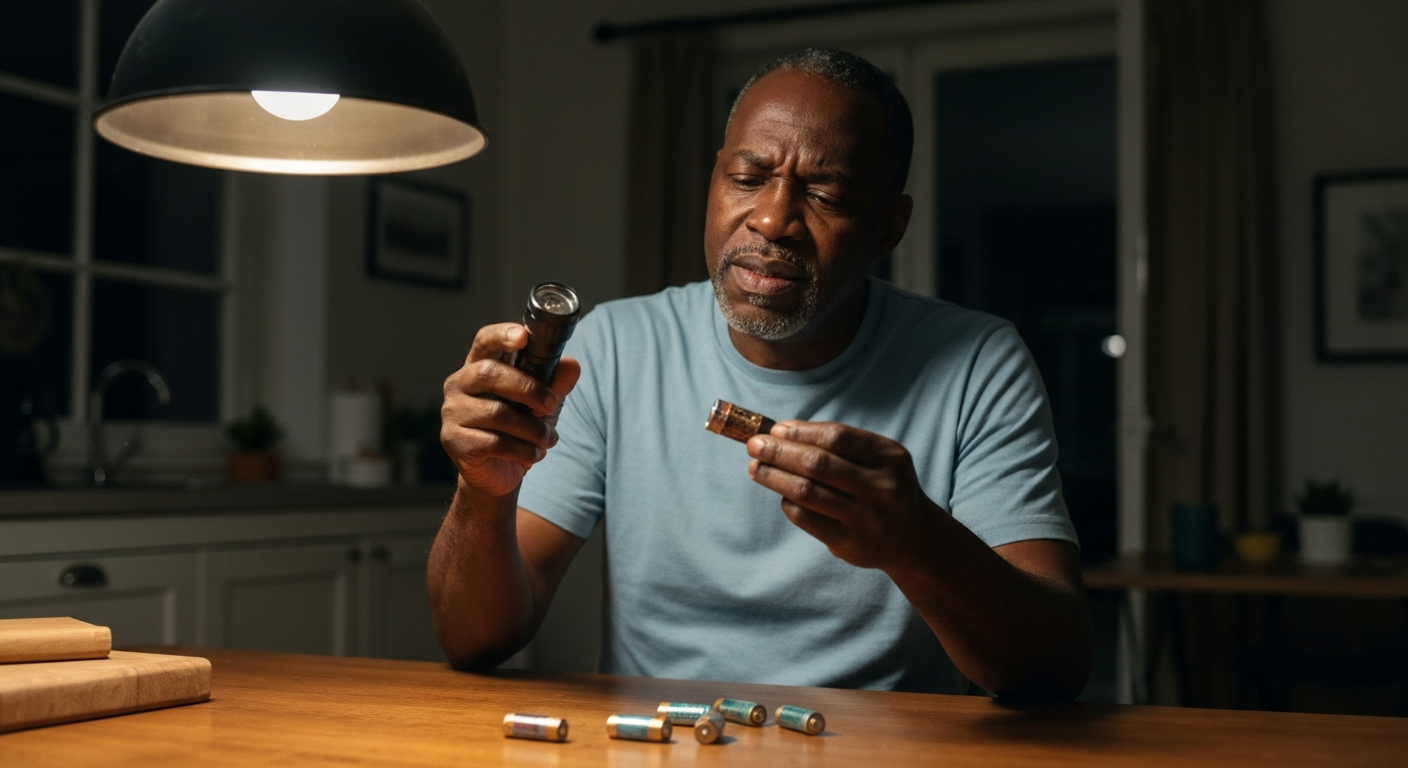
The most frequent reason any flashlight fails to light is a power supply problem—either the batteries are dead, inserted backward, or the contacts have corroded and broken the circuit.
Before you assume your flashlight is broken beyond repair, know that roughly 80% of flashlight failures trace back to something fixable in under five minutes. Modern LED flashlights are remarkably durable, but they still depend on a clean electrical path from battery to bulb. When that path gets interrupted anywhere along the way, you get nothing but a click and darkness.
The troubleshooting process works the same whether you're dealing with a tactical flashlight, a cheap keychain light, or the flash on your smartphone. You'll check power first, then connections, then the light source itself, and finally the switching mechanism.
| ✓Quick Fix |
The Go-To Fix for This Right Now One of the simplest things to try immediately — no appointment, no waiting. See on Amazon → |
Dead batteries cause more flashlight failures than all other problems combined—and even "new" batteries can be duds if they've sat on a shelf for years.
Alkaline batteries lose about 2-3% of their charge per month just sitting unused. If your flashlight has been in a drawer since last winter, those batteries may not have enough juice left to power the LED. Lithium batteries hold their charge much longer but can fail suddenly rather than dimming gradually.
Check that batteries are inserted with the correct polarity. The positive (+) end typically faces the bulb, but some flashlights reverse this. Look for markings inside the battery tube. Even one battery reversed in a multi-cell light will break the circuit completely.
Try fresh batteries from a sealed package with a recent manufacturing date. If the flashlight works with new batteries, your old ones were the problem. If it still doesn't work, keep troubleshooting.
Rechargeable batteries add another failure point: the charging process itself. If your rechargeable flashlight won't turn on, the internal battery may have reached the end of its lifespan (typically 300-500 charge cycles for lithium-ion) or the charging circuit may have failed.
Some rechargeable flashlights have indicator lights that show charging status. A red or blinking light during charging that never turns green suggests the battery can't hold a charge anymore. Many modern flashlights use standard 18650 lithium cells that you can replace yourself for under $10.
White, green, or crusty buildup on the battery contacts blocks electrical current and is the second most common reason flashlights stop working—especially in humid climates or after battery leakage.
Alkaline batteries that sit too long can leak potassium hydroxide, leaving a white crystalline residue on the metal contacts. This corrosion acts as an insulator, preventing electricity from flowing even when fresh batteries are installed.
To clean corroded contacts:
| Step | Action | What You'll Need |
|---|---|---|
| 1 | Remove all batteries | Gloves (corrosion is mildly caustic) |
| 2 | Scrape off visible buildup | Toothpick, small flathead screwdriver |
| 3 | Neutralize remaining residue | White vinegar or lemon juice on cotton swab |
| 4 | Scrub contact surfaces | Pencil eraser or fine sandpaper (400+ grit) |
| 5 | Clean and dry thoroughly | Isopropyl alcohol, paper towel |
| 6 | Test with fresh batteries | New batteries only |
Check both ends of the battery compartment—the spring contact on one end and the flat plate on the other. Both need to be clean and shiny for good conductivity. If the corrosion has eaten through the spring or plate, the flashlight may need professional repair or replacement.
"Battery leakage is the number one cause of damage to portable electronics. The alkaline material is corrosive and can permanently damage device contacts if not cleaned promptly." — Energizer Technical Bulletin
While LED bulbs can last 50,000+ hours, they can still fail from power surges, overheating, or manufacturing defects—and incandescent flashlight bulbs burn out much faster.
If you're still using an incandescent flashlight (recognizable by its yellowish light and warm bulb), the filament may have simply burned through. These bulbs typically last 10-30 hours of use. LED flashlights rarely suffer bulb failure, but it does happen.
Signs your bulb has failed:
Many flashlights have replaceable bulbs accessible by unscrewing the head. Check if a replacement bulb is available for your model before discarding the entire flashlight. Upgrading an old incandescent light to an LED drop-in module is often possible and dramatically improves brightness and battery life.
Also Read: Why Is My Outlet Buzzing? 7 Causes & How to Fix It
A faulty switch is harder to diagnose than dead batteries, but you can often identify it by trying the "twist test"—if the flashlight flickers or turns on when you twist the head or tail cap, the switch or internal connections are the problem.
Flashlight switches endure thousands of clicks over their lifetime. The internal contacts can wear, corrode, or become coated with grime that prevents clean contact. Tactical flashlights with tail-cap switches are particularly prone to this because the switch mechanism must handle the full current flow.
Try these diagnostic steps:
Cleaning switch contacts requires disassembly that varies by model. For valuable flashlights, contact the manufacturer. For inexpensive lights, replacement is usually more practical than repair.
Phone flashlight failures are almost always software-related—the LED itself rarely fails, but camera app conflicts, overheating protection, and operating system bugs can all disable it.
Your phone's flashlight is actually the LED flash unit for the camera, which is why flashlight and camera functions are linked. If one app is using the camera (or thinks it is), the flashlight toggle will be grayed out or non-functional.
Start with these steps in order:
| Issue | Fix | Time Needed |
|---|---|---|
| Camera app conflict | Close all camera apps, including video chat | 10 seconds |
| Software glitch | Restart your phone completely | 1-2 minutes |
| Overheating | Let phone cool down 10-15 minutes | 10-15 minutes |
| Low battery mode | Charge phone above 20% | Varies |
| Settings conflict | Check Do Not Disturb and accessibility settings | 1 minute |
| iOS/Android bug | Check for and install system updates | 5-30 minutes |
If none of these work, try toggling airplane mode on and off. This resets some hardware connections. On Android, clearing the cache for the Camera app (Settings > Apps > Camera > Storage > Clear Cache) often resolves persistent flashlight issues.
This is your key diagnostic test. Open your camera app, switch to a mode that uses flash (photo mode, not video), and try to trigger the flash manually. If the flash fires in the camera but not from the flashlight toggle, you have a software issue. If the flash doesn't fire at all in any context, the LED itself may have failed.
"The smartphone LED flash is designed to withstand the thermal cycling of camera use, but sustained flashlight mode generates more heat. Thermal protection may disable the LED before you notice the phone getting warm." — iFixit Repair Guide
Modern phones disable the flashlight proactively when internal temperature rises too high. This can happen from gaming, GPS navigation in a hot car, charging while using the phone, or direct sunlight exposure. The phone is protecting the LED and battery from heat damage. You may not see a temperature warning before the flashlight cuts out.
Let your phone cool down somewhere out of direct sunlight. Remove the case temporarily. Don't put it in a refrigerator—rapid temperature changes can cause condensation inside the phone.
Also Read: Why Is My GFCI Tripping? 7 Causes & How to Fix It
If your camera flash specifically isn't firing for photos, check that flash is enabled in your camera app settings—many phones default to "auto" mode, which only triggers flash in very low light.
Look for the lightning bolt icon in your camera app. Tap it to cycle through options:
If flash is set to "On" and still won't fire, the issue is more fundamental. Third-party camera apps sometimes have their own flash settings that override system defaults. Try the stock camera app that came with your phone to rule out app-specific problems.
For iPhones, flash can also be disabled through accessibility settings. Go to Settings > Accessibility > Audio/Visual and make sure "LED Flash for Alerts" isn't causing conflicts. On some Android devices, battery saver mode disables flash entirely.
Water inside a flashlight causes immediate or delayed failure—even IP-rated waterproof flashlights can fail if O-ring seals are damaged, dirty, or dried out.
Signs of water intrusion:
If you suspect water damage, remove batteries immediately. Shake out visible water. Leave the flashlight disassembled (battery compartment open, head unscrewed if possible) in a warm, dry area for 48-72 hours. Rice doesn't help—airflow does.
Preventive maintenance includes occasionally lubricating O-ring seals with silicone grease and replacing cracked or flattened O-rings. Most flashlight manufacturers sell replacement O-ring kits.
Run through this systematic check to identify your flashlight problem in under five minutes.
| Check | What to look for | If problem found |
|---|---|---|
| Batteries | Dead, corroded, or wrong polarity | Replace with fresh batteries |
| Battery contacts | White/green buildup, lack of spring tension | Clean with vinegar and eraser |
| Bulb | Visible broken filament (incandescent only) | Replace bulb |
| Switch | No click, sticky action, or intermittent function | Clean or replace switch |
| Connections | Loose head or tail cap, dirty threads | Clean threads, tighten firmly |
| Seals | Cracked O-rings, visible water inside | Dry out, replace O-rings |
| Phone software | Flash works in camera but not toggle | Restart phone, clear camera cache |
| Phone hardware | Flash doesn't fire anywhere | Seek professional repair |
| ✓Our Pick |
LED flashlight repair and replacement parts A top-rated pick that works — readers who tried this reported noticeable improvement within days. See on Amazon → |
If your flashlight cost under $20 or requires parts that cost more than half its original price, replacement usually makes more sense than repair—but high-quality tactical lights are worth fixing.
Premium flashlights from brands like SureFire, Streamlight, or Fenix often have manufacturer repair programs and multi-year warranties. Check if your flashlight is still covered before attempting DIY repairs that might void the warranty.
For phone flashlight issues that persist after software troubleshooting, the LED module may have failed. This is a hardware repair requiring professional service. On most phones, the flash LED is soldered to the main board, not a replaceable component.
Also Read: Why Is My Dryer Not Spinning? 7 Causes & DIY Fixes
Most flashlight failures trace back to dead batteries, corroded contacts, or a faulty switch—all problems you can fix at home in minutes. For phone flashlights, restart your device first, close any camera apps, and let it cool down if it's been working hard. Clean battery contacts with vinegar and an eraser to restore conductivity. Test batteries in another device to rule out power issues. If your phone's flash works in camera mode but not as a flashlight, the problem is software-related and usually resolves with a restart or app cache clear.
Persistent phone flashlight failures after restarting typically indicate a deeper software conflict or hardware issue. Check for pending system updates, as flashlight bugs are common in new OS releases and usually patched quickly. Try booting into safe mode (power menu > long-press "Power off" on most Androids) to see if a third-party app is causing the conflict. If the flashlight works in safe mode, uninstall recently added apps one by one to find the culprit.
Yes, most flashlights with burned-out bulbs can be fixed. LED flashlights rarely have bulb failures, but when they do, replacement LED modules are available for many models. Incandescent flashlight bulbs are standard consumables—check the bulb base markings and buy a matching replacement. Some flashlights require specific proprietary bulbs that may be harder to source for discontinued models.
Flickering indicates an intermittent connection somewhere in the electrical path. The most common causes are low battery voltage (batteries almost dead), dirty or corroded contacts creating inconsistent contact, a failing switch, or loose connections where the head or tail cap threads together. Clean all contact points thoroughly and try fresh batteries before assuming the switch has failed.
Try the batteries in another device that uses the same battery type. Alternatively, perform the bounce test for alkaline batteries: drop a battery vertically from about 6 inches onto a hard surface. A fresh alkaline battery will land with a solid thud and stay upright or topple once. A dead battery bounces several times because the internal chemistry changes create a more elastic structure. This test only works for alkaline batteries, not lithium or rechargeable cells.
Most phones automatically turn off the flashlight after a set period (usually 2-10 minutes) to prevent overheating and battery drain. This is a built-in safety feature, not a malfunction. Some phones allow you to adjust or disable this timeout in settings—check Settings > Display or Settings > Accessibility. Third-party flashlight apps often let you override the timeout, though this increases heat buildup and battery use.
Reviewed and Updated on June 20, 2026 by George Wright