Roblox outerwear (jackets, coats, and layered clothing) fails to equip or appear because of a Roblox avatar type mismatch (R6 vs R15), a catalog layer-clothing bug, a pending moderation hold on the item, a server sync delay, or a browser/client cache that needs clearing.
Why Is My Outerwear in Roblox Not Working? 5 Common Causes
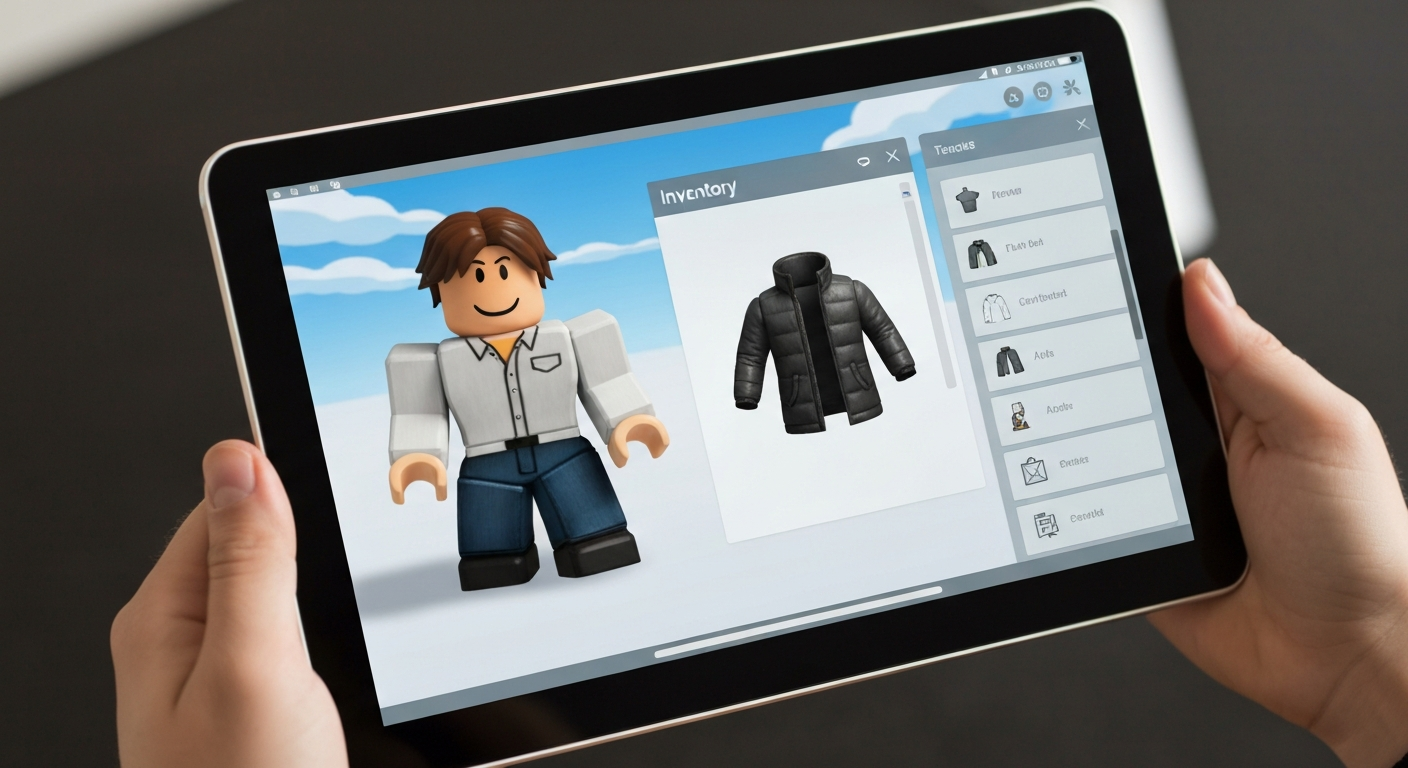
Outerwear in Roblox uses the platform's Layered Clothing system — a 3D clothing layer that wraps around your avatar. This system only works with R15 and Rthro avatars; it is incompatible with R6 avatars. This is the most common reason outerwear won't equip or render correctly.
"Layered clothing, including outerwear such as jackets and coats, requires the R15 avatar body type. If your avatar is set to R6, layered clothing items will not display. Switch to R15 or Rthro in the Avatar Editor to use layered clothing." — Roblox Support at Roblox
Is Your Avatar Set to R6 Instead of R15?
R6 avatars have 6 body parts and do not support layered clothing — including all outerwear items (jackets, coats, hoodies). If you've been using R6 for years and recently bought an outerwear item wondering why it won't appear, this is the reason.
How to check and fix:
1. Go to the Roblox Avatar Editor
2. Click the Body tab → Avatar Type
3. If it's set to R6, change it to R15
4. Save your avatar
Note: Individual games can override your avatar type setting. If a specific game forces R6, your outerwear won't appear in that game even if your avatar is set to R15 globally.
Is the Item Under Roblox Moderation?
Items that are pending review or have been temporarily flagged by Roblox's moderation system will appear in your inventory but fail to equip. Look for the item in your inventory — if it shows a moderation notice or a different color tag, wait 24–48 hours for the review to clear, or contact Roblox Support if it remains flagged.
Does the Game Support Layered Clothing?
Not all Roblox games support layered clothing. Game developers must explicitly enable the LayeredClothing system in Studio settings for outerwear to render in their game. In games without it enabled, you'll see your avatar wearing default clothing instead. This is the developer's choice, not a bug you can fix.
How to Fix Outerwear Not Working in Roblox
Step 1 — Switch to R15. This is the fix for the majority of outerwear problems. Go to Avatar Editor → Body → Avatar Type → R15 → Save.
Step 2 — Remove and re-equip the item. Go to your Inventory → Clothing. Unequip the outerwear item and re-equip it. Sometimes avatar state gets desynced and a simple re-equip restores the visual.
Step 3 — Clear Roblox client cache.
- On Windows: close Roblox → navigate to %localappdata%\Roblox\Versions in File Explorer → delete the Cache folder inside your current version folder → relaunch.
- On Mac: close Roblox → go to ~/Library/Caches/com.roblox.RobloxPlayer → delete contents → relaunch.
- On mobile: go to your phone's App Settings → Roblox → Storage → Clear Cache.
Step 4 — Try a different game. If your outerwear works in one game but not another, the specific game doesn't support layered clothing. Test in the Roblox Avatar Shop preview or a layered-clothing-compatible game like Fashion Famous.
Step 5 — Check your internet connection. Inconsistent avatar rendering can result from a dropped connection during game join. Rejoin the server and wait for avatar textures to fully load before checking.
Step 6 — Reinstall Roblox. Uninstall Roblox completely, clear the cache folder, then reinstall the latest version. Corrupted game files can cause persistent clothing rendering failures.
Also Read: What Roblox players upgrade first when their avatar setup won't cooperate
| ✓Our Pick |
Roblox gift cards to buy Robux for catalog outerwear This is the go-to fix recommended by professionals — save time and money by getting it right the first time. See on Amazon → |
Common Roblox Outerwear Problems at a Glance
| Problem |
Likely Cause |
Fix |
| Outerwear shows in inventory but won't equip |
R6 avatar type |
Switch to R15 |
| Outerwear equips but invisible in game |
Game doesn't support layered clothing |
Try a different game |
| Outerwear shows grayed out |
Moderation hold |
Wait 24–48 hours |
| Outerwear flickers or disappears |
Cache or sync issue |
Clear cache, rejoin |
| Outerwear works in avatar editor but not in game |
Per-game avatar type override |
Can't override — game restriction |
In Short
Roblox outerwear not working almost always comes down to your avatar being set to R6 (which doesn't support layered clothing), the specific game not enabling the layered clothing system, or a cache issue. Switch to R15 in the Avatar Editor, clear the Roblox cache, and test in a game that supports layered clothing. If the item is greyed out in inventory, a moderation hold is the cause.
What You Also May Want To Know
Why can't I see my outerwear in a specific Roblox game?
Most likely that game doesn't have layered clothing enabled. Game developers must turn on LayeredClothing support in Roblox Studio for outerwear to render. There's no way to force a game to support it if the developer hasn't enabled it.
Does Roblox outerwear work on mobile?
Yes, layered clothing including outerwear works on the Roblox mobile app as long as your avatar is set to R15 and the game supports layered clothing. The experience is the same as on PC.
Why does my Roblox jacket clip through my avatar?
Clipping is a known issue with layered clothing when the underlying avatar body shape is very different from what the clothing was designed for. Try using a more standard body size in the Body Scaling settings in Avatar Editor to reduce clipping.
How do I know if a Roblox item is layered clothing?
On the item's catalog page, look for the label "Layered Clothing" under the item description or type badge. Items without this tag use the classic clothing system and don't appear as outerwear in 3D — they're applied as a texture on the avatar body instead.
Can I wear multiple outerwear items at once in Roblox?
Yes, layered clothing is designed to stack. You can layer multiple shirts, jackets, and accessories. However, the Roblox avatar has limits on how many layered items can be stacked before visual glitches appear — typically 3–5 layered items is the practical maximum.
Reviewed and Updated on July 3, 2026 by Adelinda Manna