
Technology
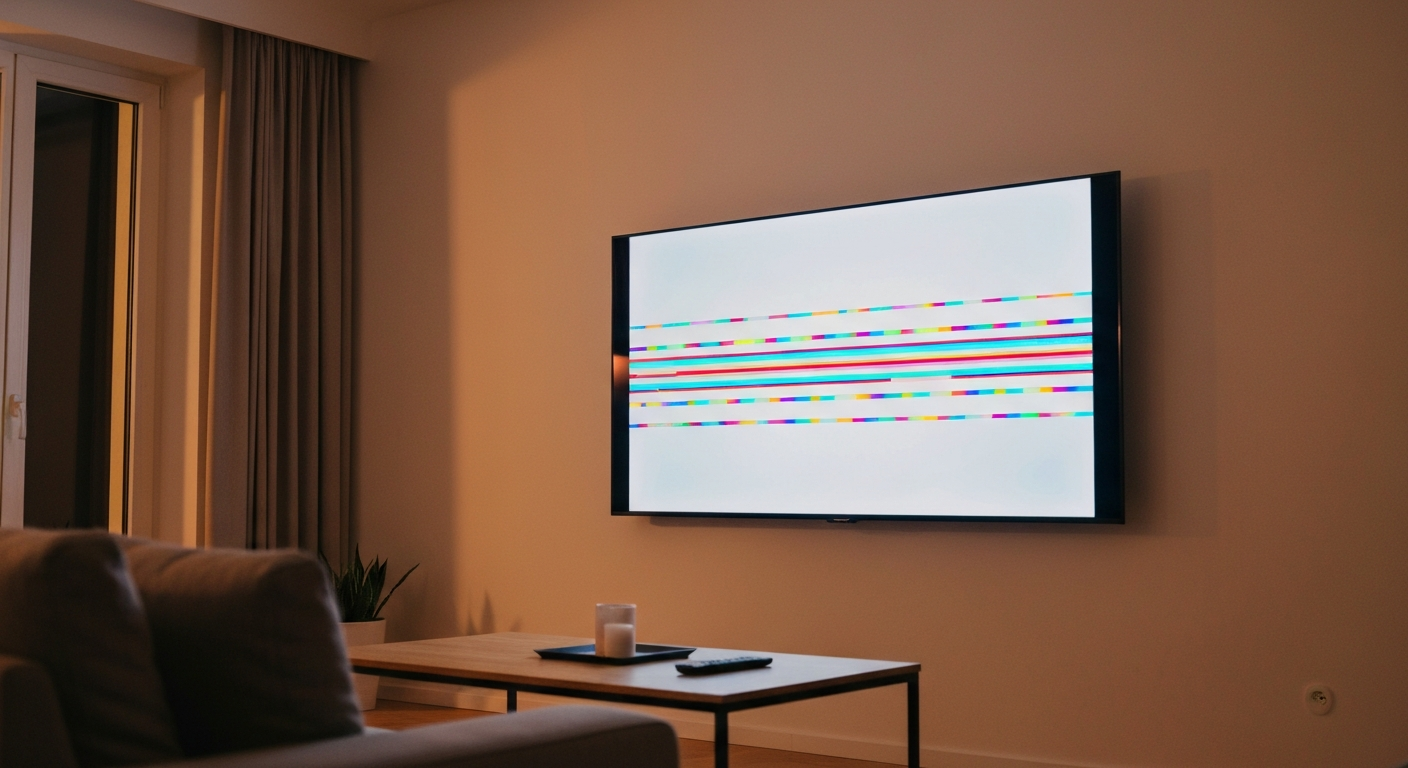

A TV glitches because of a loose or faulty HDMI cable, an overheating processor, outdated firmware, a weak broadcast or streaming signal, or a failing display panel — most of these are fixable at home without a technician.
Also Read: Why Is My Background Black? 9 Causes & Quick Fixes
Glitching — flickering, pixelation, freezing, color banding, or brief blackouts — happens when the signal chain between the source, the cable, the TV's processor, and the display panel breaks down at any point. Isolating where the break occurs tells you exactly what to fix.
Modern televisions process an enormous amount of data every frame. A 4K TV displaying at 60 frames per second moves over 12 gigabits of raw video data per second. Any disruption — a frayed cable, a processor bottleneck, a software bug, or a failing panel component — creates visible artifacts on screen. The good news is that signal-level problems (cables, sources, firmware) are consistently more common and more fixable than hardware-level problems (failing panels, capacitors).
"HDMI cables can degrade over time, especially near connectors and where they bend. Damaged cables cause symptoms including flickering, color distortion, intermittent black screens, and complete loss of signal — even when the cable appears physically intact." — HDMI Forum at hdmi.org
Nine causes cover the full range of TV glitching problems. Signal and connection issues — causes one through four — account for roughly 70% of cases and are the easiest to fix.
HDMI is the most common source of TV glitching. A cable that is slightly loose at either end, bent sharply near a connector, or simply worn out causes intermittent signal dropouts that appear as pixelation, flickering, brief blackouts, or color distortion. Unplug both ends of the HDMI cable, inspect the connector for bent pins, and firmly reseat both ends. If glitching persists, swap the cable entirely — HDMI cables are inexpensive and a bad cable is the single most fixable cause of TV glitching.
Smart TVs contain processors and memory similar to smartphones. When these components overheat — typically because vents are blocked or the TV is in an enclosed cabinet — the processor throttles its performance, causing stuttering, freezing, and visual artifacts. Ensure at least 4 inches of clearance on all sides and the back of the TV. A buildup of dust in the ventilation slots significantly worsens heat retention; blow them out gently with compressed air.
TV manufacturers regularly push firmware updates that fix known display bugs, improve HDMI handshake compatibility, and resolve streaming performance issues. A TV running outdated firmware may exhibit glitching that a simple software update would cure. Navigate to Settings → System → Software Update (exact path varies by brand) and install any available updates. Many TVs can also be set to update automatically overnight.
For cable or antenna users, a weak broadcast signal manifests as pixelation and freezing — the TV's decoder drops frames when it cannot receive enough signal to reconstruct the image. Check the signal strength indicator in your TV's antenna or cable settings. For streaming services, a slow or unstable internet connection causes buffering and video artifacts. Run a speed test — most streaming services require at minimum 5 Mbps for HD and 25 Mbps for 4K.
Also Read: Why Is My Volume Not Working? 11 Causes & Quick Fixes
Smart TV operating systems develop memory leaks and software bugs over time, especially if the TV is never fully powered off. A full restart — not standby, but a complete power cycle — clears temporary memory and often resolves persistent glitching with no other intervention. Unplug the TV from the wall for 60 seconds, then plug back in. If problems persist, a factory reset (Settings → System → Reset) restores clean software at the cost of your saved settings.
Disconnect all devices from the TV and test with only one source (your cable box, streaming stick, or gaming console) to isolate whether the glitch follows the device or stays with the TV. If glitching only occurs with one source, the problem is that device or its cable, not the TV's display. If glitching occurs with all sources or even on the TV's home screen, the TV itself has the problem.
Many modern TVs have a "motion smoothing" or "motion interpolation" setting (branded as TruMotion on LG, MotionFlow on Sony, Auto Motion Plus on Samsung) that creates artificial frames between real frames. When this processing fails or interacts poorly with certain content, it produces a distinctive stuttering or judder effect. Try disabling motion smoothing in the picture settings to see if the issue resolves.
Voltage fluctuations — brownouts, power surges, or interference from nearby appliances — can cause TVs to flicker or reboot intermittently. Plug the TV directly into a wall outlet rather than a power strip. A surge protector with a joule rating of 1,000 or higher protects the TV's electronics from damage. If flickering coincides with lights dimming or other appliances cycling on, the issue is electrical rather than the TV itself.
Panel hardware failures — failing backlight LEDs, dying pixels, cracked T-con boards, or failing capacitors — cause glitching that does not respond to software fixes. Signs of hardware failure include persistent flickering at the same location on screen, horizontal or vertical bars, or a glitch that appeared after physical impact. A repair technician can diagnose this quickly. For older TVs, replacement cost vs. repair cost is worth calculating.
"LED backlight issues are one of the most common hardware causes of TV flickering and dimming. Individual LED arrays can fail while others remain operational, creating uneven brightness and periodic dimming that software updates cannot resolve." — iFixit Repair Guides at ifixit.com
| Glitch Type | Most Likely Cause | First Fix |
|---|---|---|
| Pixelation or blocking on one input | Bad HDMI cable | Replace HDMI cable |
| Freezing during streaming only | Slow internet | Check speed; reboot router |
| Random flickering with all sources | Overheating or failing backlight | Clear vents; check ventilation |
| Stuttering or judder on motion | Motion smoothing bug | Turn off motion interpolation |
| Glitching after power outage | Software corruption | Factory reset |
| Persistent horizontal bars | Panel or T-con board failure | Technician diagnosis |
Start with the easiest and most common fixes: reseat or replace your HDMI cable, ensure the TV is properly ventilated, and check for a firmware update. If those do not resolve the glitch, isolate whether the problem is the source device, the connection, or the TV itself. Glitching that responds to a restart or factory reset is a software issue; glitching that persists in all conditions on all sources points to a hardware failure requiring service.
Nighttime temperature drops and increased electrical usage on local circuits can both cause TV glitching. Cooler temperatures affect some aging panel components differently than warmer conditions. Increased electrical load from neighboring homes during evening peak hours can also cause subtle voltage fluctuations. If nighttime glitching is consistent, a surge protector or power conditioner addresses the electrical variable.
Some firmware updates introduce new bugs or change default picture-processing settings. After an update, the first step is a full power cycle (unplug for 60 seconds). If the issue persists, check the TV manufacturer's support forum for known post-update issues for your model. A factory reset after a problematic update often clears the new software bug.
High-refresh-rate gaming modes (120 Hz, 144 Hz) stress the HDMI bandwidth and the TV's display processor more than standard 60 Hz content. The HDMI cable must meet HDMI 2.1 specification for 4K 120 Hz. An older cable rated for HDMI 1.4 will cause flickering and artifacting at these settings. Check that Game Mode is enabled and motion interpolation is disabled.
Yes. A cheap or worn surge protector can impede the current flow to your TV, causing subtle undervoltage that manifests as flickering and unexpected restarts. If the TV is plugged into a surge protector that is more than three to five years old or shows signs of damage, replace it or plug the TV directly into a wall outlet to test.
Reviewed and Updated on June 5, 2026 by George Wright