Metro by T-Mobile offers home internet through T-Mobile's 5G and LTE network — customers receive a plug-and-play gateway device that replaces cable or fiber, with plans running around $50–$60/month and no annual contract required.
Metro by T-Mobile (formerly MetroPCS) launched its home internet service as a natural extension of T-Mobile's 5G buildout. It targets renters, apartment dwellers, and households in areas without reliable cable infrastructure who want a simple alternative to traditional ISPs. Here's what the service actually delivers — and its real limitations — before you sign up.
What Is Metro Home Internet?
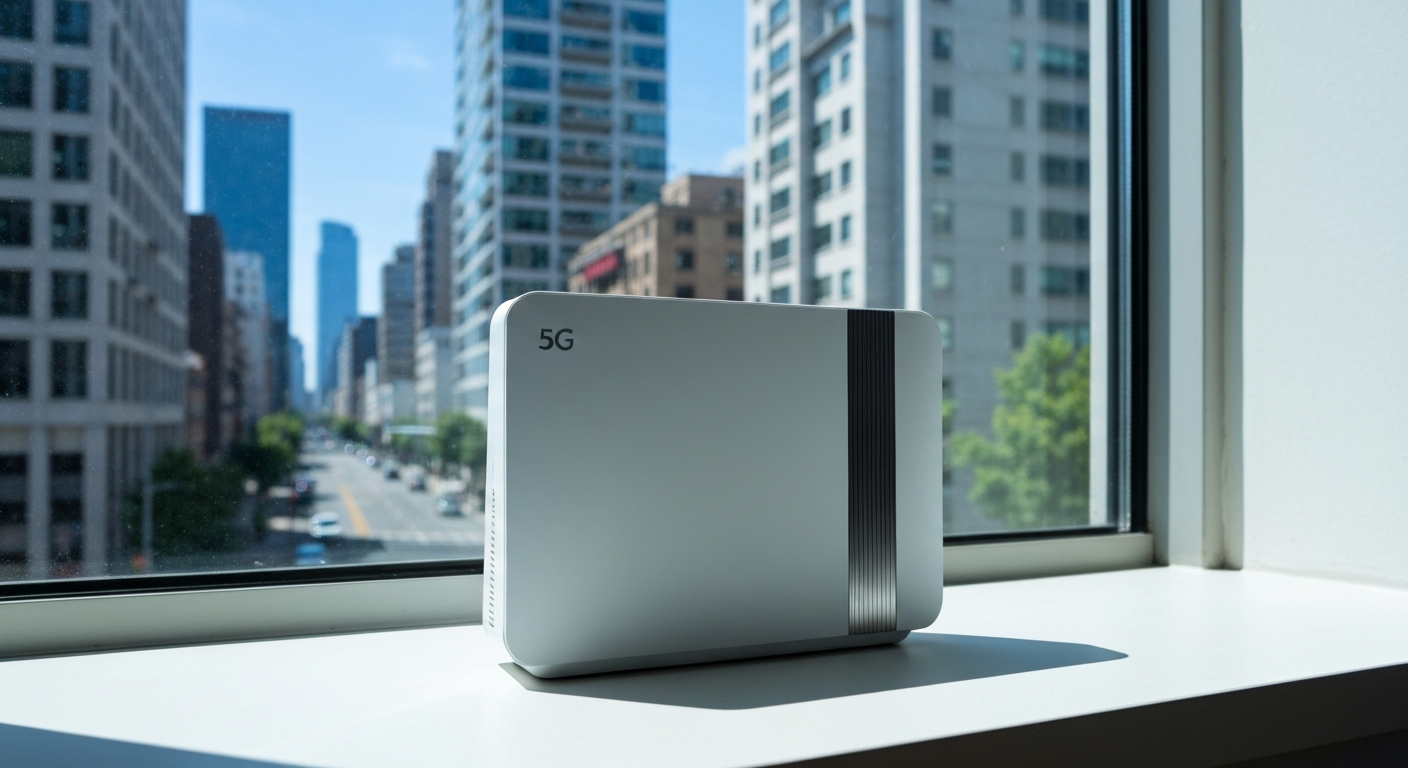
Metro home internet is a fixed wireless internet service that replaces a cable or fiber connection with a T-Mobile 5G/LTE gateway — a single device that connects to the nearest cell tower and broadcasts Wi-Fi inside your home.
Instead of a coaxial cable running into your home, a gateway device sits near a window and pulls signal from T-Mobile towers. There are no cables to run, no installation appointments to schedule, and no annual contracts. The gateway typically takes under 15 minutes to self-install.
As of 2026, Metro's home internet service is available in select markets where T-Mobile's 5G coverage is strong enough to sustain consistent home use. Coverage varies significantly by zip code — Metro's website checks availability at your exact address before you order.
"T-Mobile's 5G network covers more than 325 million people across the US, providing the backbone for both mobile and home internet services across urban, suburban, and rural markets." — T-Mobile Coverage Overview at T-Mobile.com
Metro Home Internet Speeds and Plans in 2026
Typical Metro home internet speeds range from 33–245 Mbps download depending on your location, local tower load, and signal strength — with median speeds around 72–100 Mbps in well-covered markets.
Metro's pricing is straightforward: one plan, one price, equipment included. Speeds aren't guaranteed (fixed wireless inherently varies), but most users in strong-coverage zones get enough for multiple HD streams, video calls, and everyday browsing.
| Feature |
Details |
| Connection type |
5G/LTE fixed wireless |
| Typical download |
33–245 Mbps (median ~100 Mbps) |
| Upload |
15–25 Mbps typical |
| Data |
Unlimited (deprioritized during congestion) |
| Contract |
None |
| Setup |
Self-install, no technician needed |
The biggest caveat: Metro home internet is deprioritized behind T-Mobile's postpaid mobile customers during network congestion. In dense urban areas during peak hours, speeds can drop noticeably.
"Fixed wireless access customers may experience reduced speeds during periods of network congestion, particularly in high-density markets where mobile traffic is prioritized over home internet traffic." — FCC Broadband Progress Report at FCC.gov
Also Read: See What People Upgrade To When Metro Home Internet Isn't Fast Enough
How to Set Up Metro Home Internet
Metro home internet setup takes under 15 minutes: place the gateway near a window, plug it in, connect to the default Wi-Fi network printed on the device, and activate through the Metro by T-Mobile app.
Step-by-step:
- Place the gateway near an exterior wall or window facing toward the nearest T-Mobile tower. Signal strength here directly caps your speeds.
- Plug it in and wait for the status indicator to stabilize — green or solid white typically means connected.
- Connect your phone or laptop to the Wi-Fi network name printed on the gateway label.
- Open the Metro by T-Mobile app and complete the activation steps.
- Run a speed test at speedtest.net to confirm your download speeds.
If the signal indicator shows yellow or red, try moving the gateway to a different window. Height helps — placing it on a high shelf or second-floor windowsill often improves reception significantly.
Is Metro Home Internet Worth It?
Metro home internet is a solid choice for light-to-medium users in T-Mobile's strong-coverage areas who want a no-contract, no-cable option. It is not ideal for heavy gaming, 4K multi-room streaming, or large file transfers in congested urban markets.
When Metro home internet works well:
- Single-person or small household with everyday internet needs
- Apartments that don't have cable infrastructure
- Temporary internet during a move or home setup
- Budget-conscious users who already have Metro mobile service (bundle discounts may apply)
When to look at alternatives:
- Gaming that requires low, stable latency (fixed wireless adds variability cable doesn't)
- Rural locations with marginal T-Mobile signal
- Large households simultaneously streaming 4K on multiple devices
| ✓Our Pick |
Mesh Wi-Fi router to spread Metro home internet signal across a larger home Great value for money — this product tackles the root cause rather than just masking the symptoms. See on Amazon → |
In Short
Metro home internet is T-Mobile's fixed wireless broadband delivered through Metro's prepaid brand — a plug-and-play gateway, no cables, no contracts. Speeds reach up to ~245 Mbps in strong-coverage areas but are deprioritized during peak congestion. Check coverage at your address before ordering, and test the service during Metro's return window if speeds disappoint in your specific location.
What You Also May Want To Know
What is Metro by T-Mobile home internet?
Metro home internet is a fixed wireless broadband service using T-Mobile's 5G and LTE network instead of cable or fiber infrastructure. Customers receive a gateway device that connects to T-Mobile towers and provides Wi-Fi inside the home, with no technician installation required.
How fast is Metro PCS home internet?
Metro home internet speeds range from about 33 to 245 Mbps download depending on your location and local tower conditions. Median speeds in well-covered areas run around 72–100 Mbps — enough for HD streaming, video calls, and general household use for most families.
Does Metro home internet have a data cap?
Metro home internet is marketed as unlimited with no hard data cap. However, your traffic may be deprioritized during network congestion — particularly in dense areas where T-Mobile's postpaid mobile customers receive bandwidth priority over home internet customers.
Can I use my own router with Metro home internet?
Metro's gateway includes a built-in Wi-Fi router, so a separate device isn't required. If you want better Wi-Fi coverage or mesh networking capability, you can connect your own router to the gateway's LAN port and configure it in bridge (or access point) mode.
Reviewed and Updated on July 1, 2026 by Adelinda Manna